
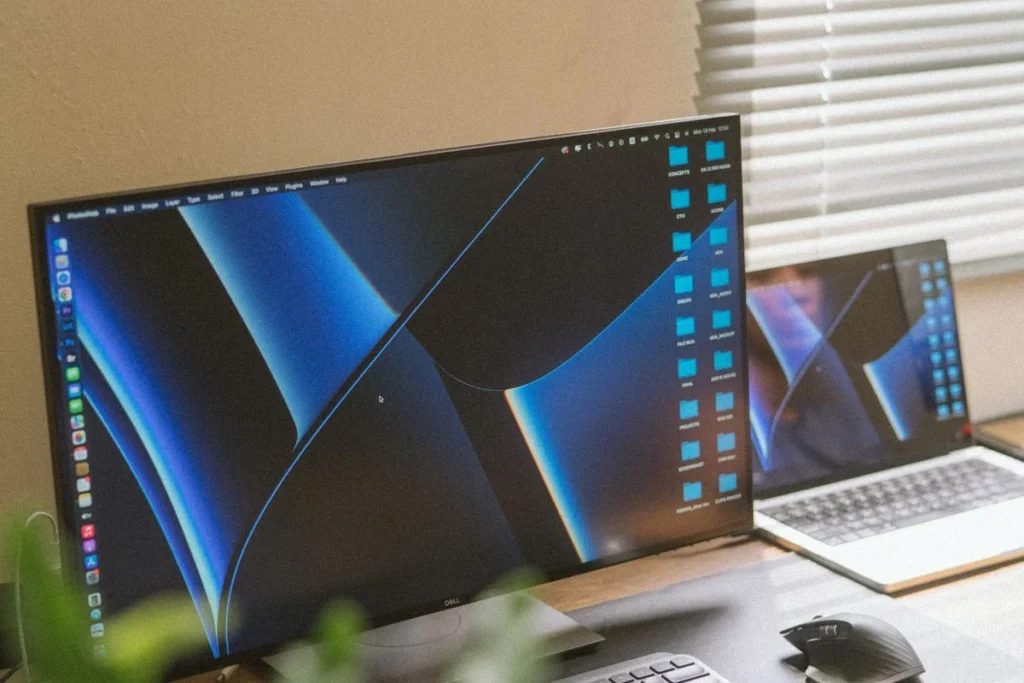
Best Eye-Care Monitors for Eye Strain (2026): 5 Flicker-Free Picks That Are Easier on Your Eyes
The best eye-care monitor for eye strain in 2026 is the BenQ GW2790QT. Its 27-inch 1440p IPS panel pairs TÜV-certified flicker-free backlighting with Low Blue Light Plus and an ambient-light sensor that adjusts brightness automatically. Street price runs about $250–$300 as of Nvember 2026.
As an Amazon Associate I earn from qualifying purchases.
TL;DR — Our 2026 eye-care monitor picks
- Best overall: BenQ GW2790QT— 27″ QHD, flicker-free, USB-C 65W, ~$250–$300
- Best premium 4K: Dell UltraSharp U2723QE — 27″ 4K IPS Black, ComfortView Plus, USB-C 90W, ~$450–$550
- Best for creators: ASUS ProArt PA279CRV — 27″ 4K, 99% DCI-P3, Calman Verified, USB-C 96W, ~$350–$430
- Best 4K under $350: Dell S2722QC — 27″ 4K, ComfortView, USB-C 65W, 350 nits, ~$300–$370
- Best budget: ASUS VA279HG — 27″ FHD, 120Hz, TÜV flicker-free + low blue light, ~$100–$140
Method: we compared published specs, November 2026 street prices, and verified owner feedback — no hands-on lab testing.
What actually causes eye strain — and what can a monitor fix?
Eye strain from screens has a clinical name: computer vision syndrome, also called digital eye strain. The American Optometric Association defines it as a group of eye and vision problems from prolonged computer, tablet, and phone use — sore or tired eyes, headaches, blurred vision, dry eyes, and neck and shoulder pain. The Mayo Clinic adds that people who look at screens two or more hours in a row every day carry the greatest risk — computer use strains eyes more than reading print, partly because people blink less at screens.
A monitor cannot make you blink, and no screen fixes bad posture. What it can remove is three avoidable sources of strain: invisible backlight flicker, harsh blue-heavy light, and brightness that fights your room lighting. The five monitors below were picked for exactly those three things.
Here’s the takeaway in one quotable line: an eye-care monitor removes avoidable strain — flicker, glare, and wrong brightness — but breaks, distance, and blinking do the rest.
What should you look for in an eye-care monitor?
Five things decide whether a monitor is genuinely easy on the eyes:
- Flicker-free backlighting. Many monitors dim by switching the backlight on and off hundreds of times per second. You can’t see the flicker, but sensitive eyes feel it by the end of the day. Look for DC dimming or a TÜV Rheinland Flicker-Free certification — every pick here has one.
- Hardware low blue light. Hardware panels (Dell’s ComfortView Plus, BenQ’s Low Blue Light Plus) cut blue wavelengths at the panel level without the heavy yellow tint of a software night mode. TÜV Rheinland’s Low Blue Light certification is the label to check for.
- Brightness that matches your room. A screen too bright in a dim room — or too dim near a window — forces your pupils to work overtime. An ambient-light sensor that auto-adjusts brightness (BenQ’s Brightness Intelligence) is the most underrated eye-comfort feature here.
- Pixel density. Sharp text means your eyes don’t work to resolve fuzzy edges. At 27 inches, 4K delivers about 163 pixels per inch and 1440p about 109 PPI; a 27-inch 1080p panel manages only about 82 PPI, which is visibly softer at arm’s length.
- Ergonomics. The AOA recommends sitting 20–28 inches from the screen, screen center 15–20 degrees below eye level — a height-adjustable stand makes that possible, and all five picks include one.
The 5 best eye-care monitors for eye strain in 2026
1. BenQ GW2790QT — Best overall eye-care monitor
The GW2790QT is the most complete eye-care package in this roundup, and it’s the one we’d buy first. Its 27-inch 1440p IPS panel runs at 109 PPI — sharp enough for all-day document work — and BenQ stacks three comfort technologies on top: a TÜV-certified flicker-free backlight, Low Blue Light Plus, and Brightness Intelligence Gen2, which reads the room light and adjusts brightness and color temperature automatically. Owners praise the auto-brightness most: the screen stops fighting the room.
It also covers the practical side: 99% sRGB, 75Hz, USB-C 65W, DisplayPort daisy-chaining, and a noise-cancelling mic and speakers for calls. The stand adjusts for height, tilt, swivel, and pivot.
Pricing as of November 2026: roughly $250–$300 against a $279.99 list price, with past dips near $190. Owner feedback rates it about 4.5 out of 5.
Best for: anyone who wants the strongest eye-care feature set without paying a premium price.
Check the BenQ GW2790QT price on Amazon
2. Dell UltraSharp U2723QE — Best premium eye-care monitor
The IPS Black panel doubles contrast to 2000:1 versus conventional IPS, so text looks crisper against dark-mode backgrounds, and at 163 PPI small fonts stay razor-sharp. Dell’s ComfortView Plus is a hardware low-blue-light solution certified by TÜV Rheinland, and the panel is flicker-free — the two certifications that matter most in this category.
The U2723QE is also the best one-cable dock here: a single USB-C connection carries video and up to 90W of charging, plus DisplayPort output for daisy-chaining a second 4K display, wired Ethernet, four USB-A ports, and a KVM switch for sharing a keyboard and mouse between two computers.
Pricing as of November 2026: repeatedly $450–$550 against a $779.99 list price. Owner feedback rates it 4.4 out of 5 across roughly a thousand Amazon ratings.
Best for: professionals who want the sharpest text and a true one-cable dock, and are willing to pay for it.
Check the Dell U2723QE price on Amazon
3. ASUS ProArt PA279CRV — Best eye-care monitor for creators
It’s a 27-inch 4K IPS panel with 99% DCI-P3 and 99% Adobe RGB coverage, factory-calibrated to Delta E < 2 and Calman Verified — color you can trust for photo and video work. Underneath that creator spec sheet sits a full eye-care suite: TÜV Rheinland-certified flicker-free backlighting and low blue light, plus a rest reminder and a four-level blue-light filter.
At 163 PPI, text is as sharp as the Dell above; connectivity is nearly as strong: USB-C 96W, DisplayPort daisy-chaining, HDMI, and a USB hub. The 60Hz refresh rate won’t impress gamers, but for editing timelines and reading scripts all day, this is the panel to beat at this price.
Pricing as of November 2026: around $350–$430 against a $429 list price, with sale dips to about $349. The trade-off versus the Dell U2723QE is the dock: no Ethernet port and no KVM.
Best for: photographers, video editors, and designers who need trustworthy color and kind-to-eyes viewing in one panel.
Check the ASUS ProArt PA279CRV price on Amazon
4. Dell S2722QC — Best 4K eye-care monitor under $350
If the U2723QE is out of reach, the S2722QC delivers the same 27-inch 4K sharpness — 163 PPI, 99% sRGB, 350 nits — for roughly $150 less. It carries Dell’s ComfortView low-blue-light technology and a flicker-free backlight, plus USB-C with 65W power delivery, two HDMI 2.0 ports, dual 3W speakers, and a height-adjustable stand.
The honest trade-offs versus the premium Dell: a conventional IPS panel (1000:1 contrast instead of the IPS Black’s 2000:1), no Ethernet or KVM, and an 8ms response time.
Pricing as of November 2026: around $300–$370 against a $369.99 list price, with a sale low near $300 in October 2026. If your budget is even tighter, our budget monitor guide covers cheaper 1440p alternatives.
Best for: buyers who want 4K text sharpness and real eye-care certifications without crossing $350.
Check the Dell S2722QC price on Amazon
5. ASUS VA279HG — Best budget eye-care monitor
Eye care doesn’t have to cost $300. The VA279HG is a 27-inch Full HD (1920×1080) IPS panel with TÜV Rheinland-certified flicker-free and low blue light technologies, a 120Hz refresh rate with Adaptive-Sync, and 99% sRGB coverage — all for around $100–$140 as of November 2026, with sale dips to $99. It’s the cheapest way to get a genuinely certified eye-care panel on a desk.
The trade-off is pixel density: at 27 inches, 1080p is about 82 PPI, so small text looks softer than on the picks above. Sit a little farther back — the AOA’s recommended 20–28 inches — and keep font sizes at 11pt or above, and it’s comfortable for all-day reading. The 120Hz refresh rate is a bonus, making scrolling smoother than a standard 60Hz office monitor.
Best for: tight budgets, second monitors, and anyone who wants certified eye-care features for about $100.
Check the ASUS VA279HG price on Amazon
Quick comparison: all five eye-care monitors side by side
| Monitor | Size / resolution / PPI | Eye-care certifications | USB-C power | Typical price (Nov 2026) |
|---|---|---|---|---|
| BenQ GW2790QT | 27″ QHD / 109 PPI | TÜV flicker-free; Low Blue Light Plus; Brightness Intelligence Gen2 | 65W | $250–$300 |
| Dell UltraSharp U2723QE | 27″ 4K / 163 PPI | ComfortView Plus (TÜV low blue light); flicker-free | 90W | $450–$550 |
| ASUS ProArt PA279CRV | 27″ 4K / 163 PPI | TÜV flicker-free + low blue light; Eye Care rest reminder | 96W | $350–$430 |
| Dell S2722QC | 27″ 4K / 163 PPI | ComfortView low blue light; flicker-free | 65W | $300–$370 |
| ASUS VA279HG | 27″ FHD / 82 PPI | TÜV flicker-free + low blue light | — (HDMI/VGA) | $100–$140 |
How should you set up your monitor to reduce eye strain?
A good monitor helps, but setup does the heavy lifting — and it’s free. The AOA’s guidance: sit 20–28 inches from the screen, screen center 15–20 degrees below eye level, and rest your eyes 15 minutes after every two hours of continuous use. A height-adjustable stand or a monitor arm is how you actually hit those numbers.
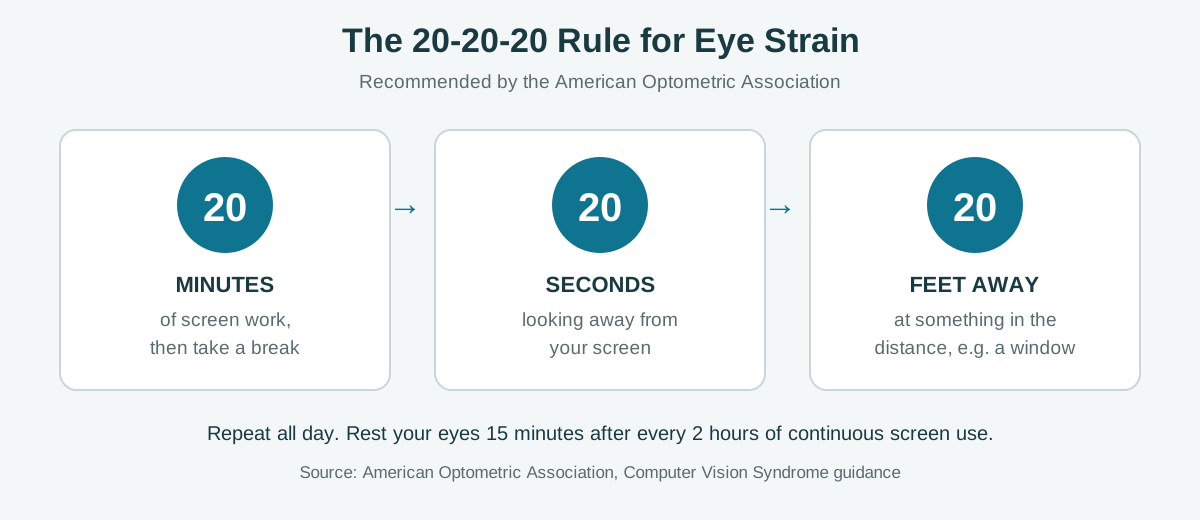
Then there’s the habit that costs nothing and beats any feature: the 20-20-20 rule. Every 20 minutes, look at something 20 feet away for 20 seconds. The AOA recommends it to help alleviate digital eye strain, and it works because it forces the focusing muscles inside your eyes to relax — the same reason the Mayo Clinic lists blinking less and staring without breaks among the main causes of screen-related eyestrain.
Match brightness to the room, too. A monitor at full brightness in a dim evening room is the most common setup mistake in owner feedback — it’s why the auto-brightness sensor on the BenQ GW2790QT earns so much praise. Without a sensor, set brightness by eye: a white document should look like a sheet of paper under your room lighting, not like a light bulb.
Time your purchase if you can. If you’re not in a hurry, Black Friday week (Nov 27–30) is when monitor prices hit their yearly floor — our Black Friday monitor deals guide tracks the discount bands to expect. The Dell S2722QC, for example, has repeatedly dropped to around $300 or below during past sales.
FAQ: eye-care monitors and eye strain
Do eye-care monitors actually reduce eye strain?
Yes, for the strain caused by the screen itself: flicker-free backlights and hardware low-blue-light panels remove two real sources of fatigue, and auto-brightness keeps the screen matched to your room. They can’t fix strain from never taking breaks, sitting too close, or uncorrected vision.
Is a flicker-free monitor worth it?
Yes if your eyes feel tired by late afternoon. Many monitors dim by switching the backlight on and off hundreds of times per second — invisible, but sensitive eyes feel it. A TÜV Rheinland Flicker-Free certification means the panel uses DC dimming instead.
Does low blue light help your eyes?
It helps comfort, mainly by reducing glare and warming the image at night. Hardware low-blue-light panels do this without the heavy yellow tint of a software night mode, and they’re certified by TÜV Rheinland.
Is 4K better than 1080p for eye strain?
Yes at 27 inches: 4K delivers about 163 pixels per inch versus about 82 PPI for 1080p, and sharper text is easier on the eyes. If your budget only stretches to 1080p, sit at the far end of the AOA’s 20–28 inch range and bump font sizes up a notch.
The bottom line
For most people, the BenQ GW2790QT is the eye-care sweet spot: the strongest comfort feature set at a mid-range price. Want the sharpest 4K text? The Dell U2723QE is the premium pick; the S2722QC gets you the same sharpness for less. Creators should look at the ASUS PA279CRV, and on a tight budget the VA279HG delivers certified eye-care features for about $100. Whichever you choose, pair it with the 20-20-20 rule — the monitor helps, but the breaks do the rest.