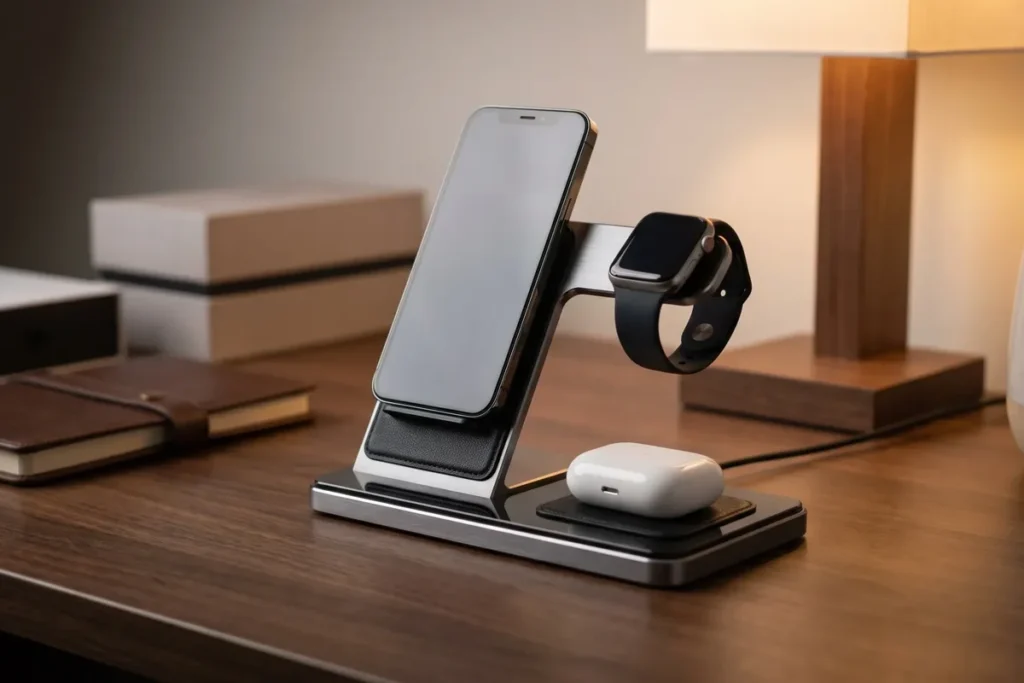
Best Wireless Charging Stations for Desks (2026)
The best wireless charging station for most desks is the Belkin BoostCharge Pro 3-in-1: it fast-charges an iPhone at 15W via Qi2, tops up AirPods and an Apple Watch at the same time, and replaces three separate cables with one clean stand. If you also charge a laptop, pair it with a compact GaN brick like the Anker 737.
As an Amazon Associate I earn from qualifying purchases.
TL;DR — The 5 best desk charging stations
- Best 3-in-1 wireless: Belkin BoostCharge Pro 3-in-1 — Qi2 15W, rock-solid stand, 2-year warranty
- Best foldable: Anker MagGo 3-in-1 — packs flat for travel, same 15W Qi2 speed
- Best laptop power hub: Anker 737 GaNPrime 120W — one brick for laptop, tablet and phone
- Best value GaN hub: UGREEN Nexode 100W — 4 ports, foldable plug, lowest cost per watt
- Best premium build: Satechi 3-in-1 Qi2 — aluminum finish that matches a Mac setup
Typical street prices as of October 2026: $45–$150 depending on wattage and wireless vs. wired.
Why does a desk need a charging station at all?
Count the bricks under your desk right now. Most home offices run a laptop charger, a phone charger, a watch puck, earbud cable, and maybe a tablet or e-reader cable — five power adapters fighting for four outlets. That tangle is not just ugly; it is the reason cables fray, ports collect dust, and you can never find the one cable you need.
A charging station collapses that mess into one device with one wall plug. Wireless 3-in-1 stations handle the small stuff (phone, watch, earbuds) with zero cable-plugging, while a GaN power hub replaces the laptop brick and every spare USB adapter with a single compact block.
The math is simple: one wireless station plus one GaN brick replaces roughly $200+ of individual chargers — and frees two or three wall outlets in the process.
What should you look for in a desk charging station?
Not every “charging station” is built for a desk. Use this checklist before you buy:
- Total wattage vs. your devices. A 15W wireless pad cannot charge a laptop. If a MacBook or Windows laptop lives on the desk, you need 65W+ from a wired GaN port — the wireless station is for the small devices only.
- Qi2 certification (2026 standard). Qi2 brings magnetic alignment and true 15W wireless charging to iPhones and newer Android phones. Older Qi pads top out at 7.5–10W and let the phone slide off-center overnight. Every wireless pick below is Qi2.
- MagSafe compatibility. Magnetic snap-on placement matters on a desk because you drop the phone down dozens of times a day without looking. Non-magnetic pads cause slow “almost charging” mornings.
- Watch charging standard. Apple Watch fast charging needs an official or MFW-certified puck. Generic watch pads charge at half speed — fine overnight, annoying at 4pm.
- One-cable footprint. The whole point is fewer cables. Prefer stations with a single captive or USB-C input cable over ones that need a proprietary brick plus a cable.
- GaN for wired hubs. Gallium nitride chargers run cooler and pack 100W+ into a pocket-size block. There is no reason to buy a big silicon brick in 2026.
The 5 best wireless charging stations for desks
Belkin BoostCharge Pro 3-in-1
Best 3-in-1 wireless station for Apple desks
Belkin BoostCharge Pro 3-in-1 Wireless Charging Stand is the safest recommendation on this list. The 15W Qi2 phone pad snaps an iPhone into place magnetically, the 5W pad handles AirPods, and the fast-charge Apple Watch puck fills a Series 9 to about half in 30 minutes. Belkin includes the 40W power supply in the box, so there is nothing else to buy.
What sets it apart is trust infrastructure: a 2-year warranty plus a $2,500 Connected Equipment Warranty, which is rare in this category. The non-slip base keeps the whole stand planted when you grab the phone one-handed — a small detail you notice daily.
Typical price: $130–$150 band.
Best for: iPhone + Apple Watch + AirPods owners who want a buy-it-once desk fixture.
Watch out for: it is Apple-centric. Android phones charge on the Qi2 pad, but there is no watch solution for Galaxy Watch owners.
Anker MagGo 3-in-1
Best foldable — desk by day, travel bag by night
Anker MagGo Wireless Charging Station (Foldable 3-in-1) delivers the same 15W Qi2 phone charging and MFW-certified Apple Watch fast charging as the Belkin, but folds down to roughly the size of a deck of cards at just 6.9 oz. The stand adjusts through a 60–70° angle, so the phone works as a StandBy-mode clock in landscape.
Anker includes the 40W USB-C charger and a 5 ft cable in the box. If your desk doubles as a launchpad — you grab the charger for trips — this is the one pick that serves both jobs.
Typical price: $80–$110 band.
Best for: hybrid workers and anyone who travels with their Apple gear.
Watch out for: the foldable hinge is a moving part; it will not feel as monolithic as the Belkin after a year of daily folding.
Anker 737 GaNPrime 120W
Best wired power hub for laptop desks
Anker 737 Charger (GaNPrime 120W) is not wireless — it is the other half of a complete desk setup. Two USB-C ports plus one USB-A port deliver 120W total, enough to fast-charge a MacBook Pro or Dell XPS on one port while a tablet and phone share the rest. The foldable plug and 6.6 oz body make it absurdly small for the output.
Pairing logic: the 737 lives behind the desk or under a cable management box, feeding the laptop and monitor, while a wireless 3-in-1 handles the phone, watch, and earbuds on the desktop. Two wall plugs total, zero cable spaghetti.
Typical price: $75–$95 band.
Best for: anyone whose laptop is the primary desk device.
Watch out for: with all three ports loaded, per-port wattage splits — check that your laptop still gets its minimum (most 13–14″ models are fine).
UGREEN Nexode 100W
Best value multi-port GaN charger
UGREEN Nexode 100W GaN Charger gives you four ports (3× USB-C, 1× USB-A) and 100W total output for roughly half the cost of first-party laptop bricks. It charges a MacBook Air at full speed with headroom left for a phone and earbuds, and the foldable plug keeps it bag-friendly.
This is the pick when the Anker 737’s 120W is more than you need. For a MacBook Air, iPad, and phone desk, 100W is the sweet spot — and the price band leaves budget for the wireless station up front.
Typical price: $45–$65 band.
Best for: budget builds and MacBook Air / ultrabook desks that do not need 120W+.
Watch out for: no cable in the box. Budget a quality 100W USB-C cable separately.
Satechi 3-in-1 Qi2 Foldable
Best premium finish for Mac setups
Satechi 3-in-1 Wireless Charging Station brings Qi2-certified 15W magnetic phone charging, an AirPods pad, and Apple Watch charging in a foldable aluminum chassis that visually matches a MacBook-and-Studio-Display desk. It covers iPhone 12 through 17 series, so it survives your next two phone upgrades.
Satechi’s industrial design is the draw here — the same reason people buy their hubs and docks. Functionally it trades blows with the Anker MagGo; aesthetically it wins on an Apple-first desk.
Typical price: $100–$130 band.
Best for: design-conscious Mac setups where the charger is visible.
Watch out for: you are paying a design premium over the Anker with similar specs.
Charging stations compared
| Station | Type | Max wireless speed | Total wired power | Devices at once | Typical price band | Best for |
|---|---|---|---|---|---|---|
| Belkin BoostCharge Pro 3-in-1 | Wireless stand | 15W (Qi2) | 40W (included PSU) | iPhone + Watch + AirPods | $130–$150 | Buy-it-once Apple desk |
| Anker MagGo 3-in-1 | Foldable wireless | 15W (Qi2) | 40W (included) | iPhone + Watch + AirPods | $80–$110 | Desk + travel hybrid |
| Anker 737 GaNPrime | Wired GaN brick | — | 120W (2C + 1A) | Laptop + tablet + phone | $75–$95 | Laptop-first desks |
| UGREEN Nexode 100W | Wired GaN brick | — | 100W (3C + 1A) | Laptop + tablet + phone | $45–$65 | Budget multi-device |
| Satechi 3-in-1 Qi2 | Foldable wireless | 15W (Qi2) | 36W+ (adapter) | iPhone + Watch + AirPods | $100–$130 | Premium Mac aesthetic |
How much should you spend on a desk charging setup?
The honest answer: $120–$200 total covers a complete desk. A $45–$65 GaN brick (UGREEN Nexode) handles the laptop and tablet, and an $80–$110 foldable wireless station (Anker MagGo) handles the phone, watch, and earbuds. That two-device combo eliminates four to five individual chargers.
Spending more buys build quality and warranty, not speed — 15W Qi2 is 15W Qi2 whether the stand costs $80 or $150.
If you’re not in a hurry, Black Friday week (Nov 27–30) is when charging gear prices hit their yearly floor — our Black Friday home office deals guide tracks the discount bands to expect on Anker, Belkin, and UGREEN.
How to set up a clutter-free charging corner in 15 minutes
Follow these steps once and the cable mess never comes back:
- Pick one home for charging. A back corner of the desk or a shelf — not the middle of your work surface. Small devices live there; the work area stays clear.
- Mount the GaN brick out of sight. Stick the Anker 737 or UGREEN Nexode under the desk or inside a cable management box with adhesive strips. Only short cables emerge.
- Run one cable per device, cut to length. A 1 ft USB-C cable beats a coiled 6 ft one every time. Measure the run from brick to device and buy the shortest cable that reaches.
- Plug everything into one power strip with a switch. One switch kills the whole charging corner at night — no vampire draw, no glowing LEDs.
- Label nothing; standardize everything. If every cable on the desk is USB-C, you never hunt for “the right cable” again. Retire Lightning and micro-USB from the desk entirely.
Frequently asked questions
Is 15W wireless charging fast enough for daily desk use?
Yes — because desk charging is about topping up, not racing to 100%. A phone sitting on a 15W Qi2 pad gains roughly 30–40% per hour, so a workday of intermittent docking keeps it full. If you need a fast emergency charge, plug into the GaN brick instead.
Do wireless charging stations work with a phone case on?
Yes, if the case is MagSafe-compatible or under about 3mm thick. Magnetic cases snap onto Qi2 pads perfectly. Thick rugged cases, metal plates, or pop sockets between phone and pad will slow or block charging — remove them or use a wired cable.
Can one charging station charge a laptop and a phone?
Only wired GaN hubs can charge laptops — wireless pads cannot. A 100W+ GaN charger like the Anker 737 or UGREEN Nexode handles a laptop plus smaller devices. Wireless 3-in-1 stations top out around 25–40W total and are built for phones, watches, and earbuds only.
Is Qi2 better than the old Qi standard?
Yes — Qi2 adds magnetic alignment and doubles real-world speed to 15W. The magnets solve the number-one wireless charging frustration: setting the phone down slightly off-center and finding it at 12% in the morning. Every wireless pick in this guide is Qi2-certified.
Do I still need my laptop’s original charger?
Keep it as a backup, but you will rarely use it. A quality 100W+ GaN charger charges just as fast and is smaller. The one exception: some workstation laptops with 180W+ adapters or proprietary charging tips still need their OEM brick — check your laptop’s wattage requirement first.
The bottom line
Start with the pair: a Qi2 3-in-1 wireless station for the phone, watch, and earbuds, plus one GaN brick for the laptop and everything else. The Belkin BoostCharge Pro 3-in-1 and Anker 737 GaNPrime are the premium version of that combo; the Anker MagGo and UGREEN Nexode 100W are the value version. Either way, you end up with two wall plugs instead of five — and a desk that finally looks like the photos.