
Best Desk Lamps for Video Calls & Zoom Lighting (2026)
If you’ve ever caught your reflection in a Zoom preview window and winced, the problem probably isn’t your camera — it’s your light. Overhead ceiling lights cast unflattering shadows under your eyes and chin, a bright window behind you turns you into a silhouette, and the glow of your monitor alone leaves your face dim and grainy. The fix is simpler than buying a new webcam: a well-chosen light placed in the right spot.
As an Amazon Associate I earn from qualifying purchases.
This guide is specifically about looking good on video calls from a home office. We’ll cover the specs that actually matter for how you appear on camera (color temperature, CRI, diffusion), compare six well-regarded lighting options — from dedicated panel lights to dual-purpose desk lamps — and show you exactly where to put them.
For video calls, the best desk lamp is a diffused, flicker-free light you can place at or slightly above eye level, aimed at your face — not the screen. Choose one with adjustable brightness and color temperature (2700K–5000K) so you can match daylight or warm indoor light; a clip-on or slim bar design keeps it out of your camera frame.
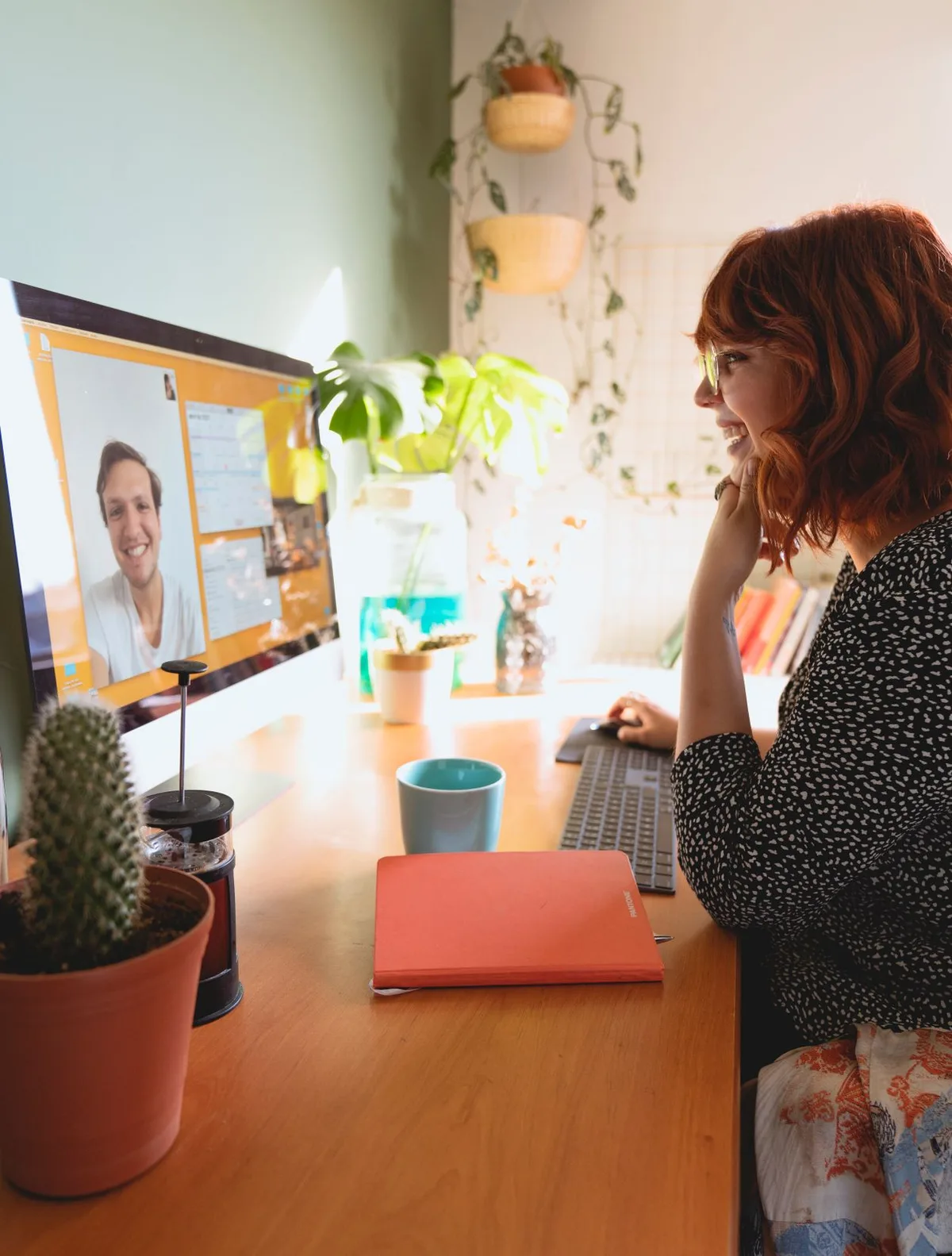
Why You Look Bad on Camera (It’s the Light, Not You)
Webcam sensors are small and unforgiving. Unlike your eyes, they can’t adapt to tricky lighting, so whatever your room gives them is what your colleagues see:
- Overhead lights shine down from above, carving shadows under your brow, nose, and chin — the classic “horror movie” look.
- A window behind you makes the camera expose for the bright background, leaving your face dark.
- Monitor-only lighting is too dim and too blue, producing grainy, washed-out video.
- Mixed light sources (warm lamp + cool daylight + blue monitor) confuse the camera’s white balance, giving your skin strange color casts.
The solution is a single, controllable, front-facing light source. It doesn’t need to be expensive — it needs to be the right color, soft enough to flatter, and positioned correctly.
What Makes Good Video Call Lighting: Buying Guide
A video call backdrop is worth considering — our guide covers the best options.
Color Temperature: The 4000K–5600K Sweet Spot
For video, you want light in the neutral to daylight range — roughly 4000K to 5600K. This range renders skin tones naturally and matches what most webcams expect. Go too warm (2700K) and you’ll look orange; go too cool (6500K+) and you’ll look clinical or washed out. Adjustable color temperature is ideal because you can tune it to your room and skin tone — and match any daylight coming through your windows.
CRI 90+: Skin Tones Need Accurate Light
The Color Rendering Index (CRI) measures how faithfully a light reproduces colors. For general desk work, CRI 80+ is fine. For your face on camera, CRI 90+ is noticeably better — skin looks natural instead of sallow or greenish. This is the spec most cheap ring lights skimp on, and it’s the main reason a quality light looks so much better on video.
Diffusion: Soft Light Flatters, Hard Light Doesn’t
A bare bulb pointed at your face creates harsh shadows and shiny hotspots on your forehead. Diffused light — passed through a frosted panel or softbox-style diffuser — wraps around your features softly. This is why panel lights and ring lights exist: their large, diffused surface is inherently flattering. If you’re using a regular desk lamp for calls, bounce it off a wall or aim it through a simple diffuser rather than pointing it straight at yourself.
Brightness and Adjustability
You need enough light to let your webcam drop its gain (less grain), but not so much that you’re squinting. Look for stepless dimming so you can dial in the exact level. As a rough guide, your face should be clearly the brightest thing in the frame — brighter than the wall behind you.
Flicker-Free Matters on Camera
Some cheap LEDs flicker at frequencies your eyes can’t see but your camera can, producing banding or pulsing in your video. Quality lights advertise flicker-free operation — worth prioritizing if you’re on camera for hours daily.
Positioning Beats Specs
A $30 light in the right position beats a $200 light in the wrong one. The golden rules: light should come from in front of you (behind or beside the camera), at roughly eye level or slightly above, and angled — not blasting straight-on like an interrogation lamp. We’ll cover exact placement below.
For general desk lighting fundamentals beyond video calls, see our main guide to the best desk lamps for home offices.
The 6 Best Lighting Options for Video Calls
| Light | Type | Typical Price Range | Best For |
|---|---|---|---|
| Elgato Key Light | Large edge-lit panel | $180–$230 | Best overall for daily video calls |
| Logitech Litra Glow | Compact streaming light | $60–$80 | Best compact pick |
| Elgato Key Light Mini | Portable panel, battery-powered | $80–$110 | Best portable option |
| 10–12″ Ring Light | Ring-shaped LED with tripod | $25–$50 | Best budget face light |
| BenQ WiT e-Reading Lamp | Wide-panel desk lamp | $180–$230 | Best dual-purpose (desk + face) |
| IKEA TERTIAL + High-CRI Bulb | Swing-arm lamp, bring your own bulb | $15–$30 | Best budget dual-purpose |
Prices shift frequently — treat ranges as approximate and check current listings.
1. Elgato Key Light — Best Overall for Video Calls
The Key Light is the benchmark for a reason: it’s a large, edge-lit panel that produces genuinely soft, flattering light, with adjustable color temperature and brightness controlled from your computer or phone. It’s popular with streamers and remote workers who spend hours on camera daily. The panel mounts on a desk stand (or pole mount) and sits just out of frame.
It’s overkill if you’re on two calls a week, and the price stings. But if your workday is wall-to-wall video, this is the “buy once, look professional forever” option.
2. Logitech Litra Glow — Best Compact Pick
Not everyone has room for a studio panel. The Litra Glow is a small desktop light designed specifically for streamers and remote workers: a frameless diffuser that produces soft, full-spectrum light from a unit barely bigger than a paperback. It sits on your desk or mounts to your monitor and disappears into your setup.
The tradeoff for the size is output — it won’t light a large area, but for a single face at a desk, that’s all you need. Ideal for small desks and minimal setups.
3. Elgato Key Light Mini — Best Portable Option
The Mini packs the Key Light concept into a battery-powered unit you can toss in a bag. It’s app-controlled, rechargeable, and bright enough for calls from hotel rooms, coworking spaces, or anywhere your home setup isn’t. Many remote workers keep one as a travel companion to their main light.
As a primary home-office light it’s a bit small, but as a portable or secondary light it’s excellent.
4. 10–12″ Ring Light — Best Budget Face Light
The classic influencer light: a ring of LEDs on a tripod that produces even, shadow-softening facial illumination. They’re cheap, widely available, and undeniably effective at making faces look smooth on camera.
Two caveats: cheap ring lights often have mediocre CRI, so colors can look slightly off — look for models advertising 90+ CRI or “high color accuracy.” And the ring shape creates distinctive circular reflections in glasses, which some people find distracting. If you wear glasses on calls, a panel light is usually the better choice.
5. BenQ WiT e-Reading Lamp — Best Dual-Purpose
If you’d rather buy one light that handles both desk work and video calls, the BenQ WiT is the premium answer. Its wide, curved panel spreads glare-free light across your desk, and the adjustable arm lets you angle it toward your face for calls. An ambient sensor auto-adjusts brightness to the room.
It’s a lot of money for a lamp, but it replaces two purchases — a quality task lamp and a separate face light — and it’s the most elegant solution on this list.
6. IKEA TERTIAL + High-CRI Bulb — Best Budget Dual-Purpose
The scrappy option: a classic swing-arm lamp paired with a quality 90+ CRI dimmable LED bulb in the 4000–5000K range. Aim it at your desk for work; swing it toward your face (bounced off a wall for softness) for calls. Total cost stays under $30.
It won’t match a dedicated panel’s softness, but it gets the fundamentals right — correct color temperature, accurate color rendering, and aimable positioning — which covers most of what makes video lighting work.
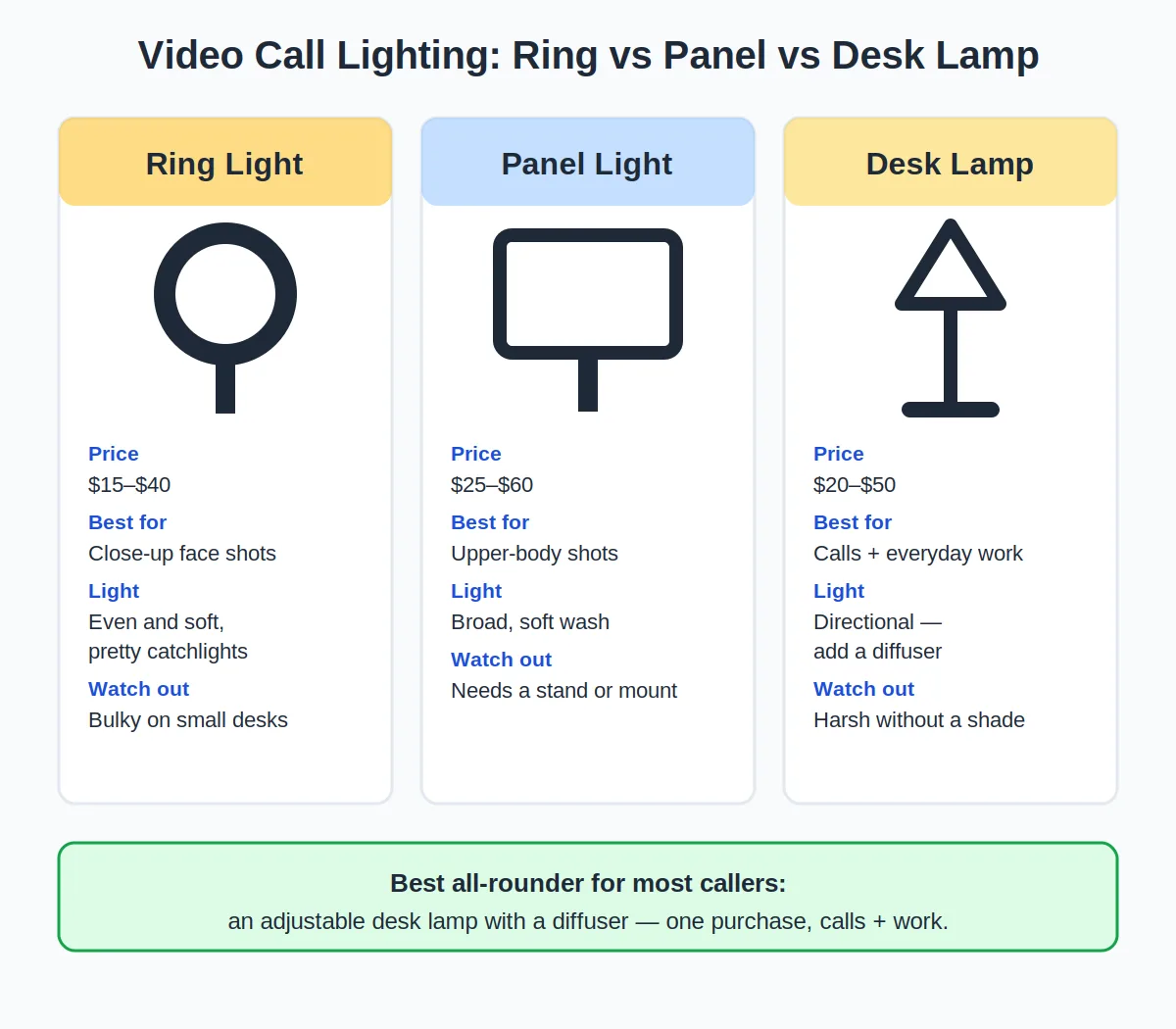
Ring Light vs. Panel Light vs. Desk Lamp
Still unsure which approach fits you? Here’s the quick breakdown:
- Ring light: cheapest dedicated face light, very even illumination, but can reflect in glasses and cheap models have poor color accuracy. Best if you’re on a tight budget and don’t wear glasses.
- Panel light: softest, most flattering, best color accuracy — the professional choice. Costs more and takes up more space.
- Desk lamp (dual-purpose): one purchase covers desk work and calls. Less flattering than a dedicated face light, but far better than overhead lighting and the most practical if you can only buy one thing.
Many remote workers end up with a hybrid: a desk lamp or light bar for the workspace, plus a small panel or ring light for their face.
How to Position Your Light for Flattering Video
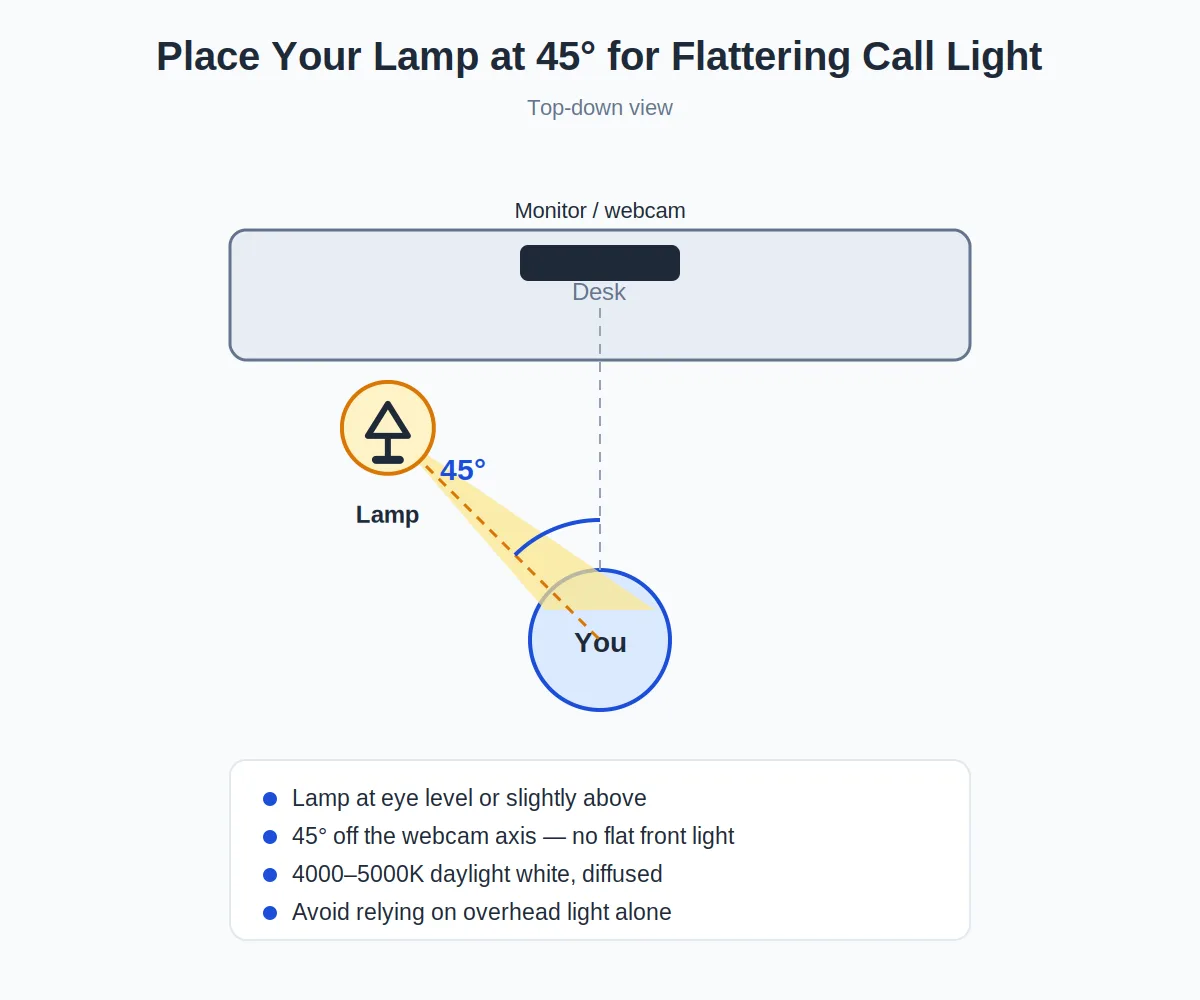
- Place it behind or beside your camera, facing you. The light and the camera should be on the same side of your face. Light from behind you is the enemy.
- Raise it to eye level or slightly above. Light from below creates monster-movie shadows; slightly above eye level is the most natural.
- Angle it at roughly 45 degrees to your face rather than dead-on. This adds gentle dimension instead of flat, washed-out light.
- Keep it close — about 2–3 feet away. Light falls off quickly with distance; a small light up close beats a big light across the room.
- Kill the backlight. Close blinds or reposition so no bright window sits behind you. Your face should be the brightest thing in frame.
- Match your monitor glow. If you use dual monitors, their combined glow can cast uneven light — position your key light to dominate. Our dual monitor ergonomics guide covers screen placement that also helps here.
Our guide shows how to look better on video calls.
5 Lighting Mistakes That Ruin Video Calls
- Sitting with a window behind you. The single most common mistake. Your camera exposes for the bright window and your face goes dark. Face the window instead, or close the blinds.
- Relying on overhead lights alone. Downlighting hollows your eyes and ages you ten years on camera. Always add a front-facing source.
- Mixing color temperatures. A warm desk lamp plus cool daylight plus a blue monitor makes your skin tone shift unpredictably. Pick one dominant temperature for your face.
- Too much brightness. Blasting yourself with light causes squinting and shiny skin. Dim until you look natural — brighter than the background, not brighter than the sun.
- Ignoring the background. A well-lit face with a chaotic, dark background still looks unprofessional. A little ambient light on the wall behind you adds depth.
Frequently Asked Questions
Do I really need a special light for Zoom calls?
Not necessarily “special” — but you do need a front-facing light source. A regular desk lamp aimed correctly beats a $200 panel aimed wrong. That said, dedicated video lights earn their price through diffusion, color accuracy, and easy adjustability.
What’s the best color temperature for video calls?
Between 4000K and 5600K. This range looks natural on most webcams and matches daylight, so it blends well if you have window light. Avoid very warm (2700K) light for calls — it makes skin look orange on camera.
Ring light or panel light — which is better?
Panel lights generally win on color accuracy and avoid the circular glasses reflection that ring lights cause. Ring lights win on price and produce very even facial light. If you wear glasses or do client-facing calls daily, go panel; if you’re budget-conscious, a good ring light is fine.
Can I just use my desk lamp for video calls?
Yes — aim it at your face from beside the camera, ideally bounced off a wall for softness, with a 4000–5000K high-CRI bulb. It won’t be as flattering as a diffused panel, but it’s a massive upgrade over overhead lighting.
Why do I look washed out on video calls?
Usually overexposure: too much light, too close, or the camera auto-exposing for a dark background. Dim the light, move it slightly farther away, and add a bit of ambient light behind you so the camera doesn’t overcompensate.