Best Trackball Mice for Office Work (2026)
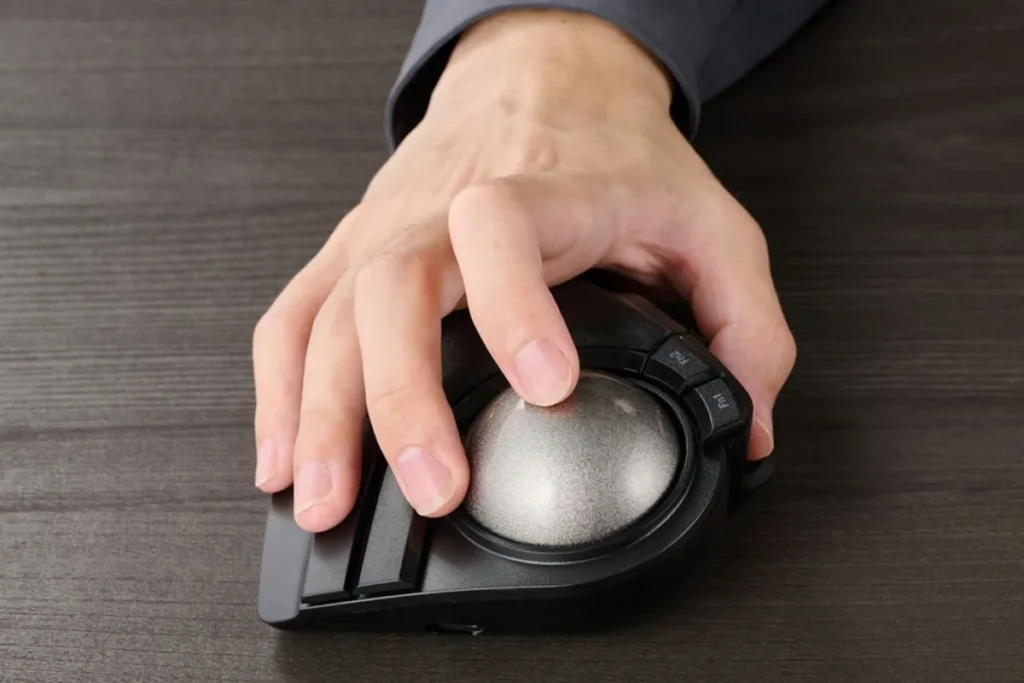
The best trackball mouse for office work in 2026 is the Logitech MX Ergo: its thumb-operated ball and adjustable 0–20° tilt cut forearm strain, it runs for months on a charge, and it typically costs $80–$100. The Kensington Expert is the precision pick for finger-ball fans, and the Logitech M575S is the value choice around $50.
As an Amazon Associate I earn from qualifying purchases.
The short version: Logitech MX Ergo is the best overall trackball — thumb control, adjustable tilt, premium feel. The Logitech Ergo M575S is the best value: same thumb-ball idea for about half the price. The Kensington Expert Mouse (K64325) is the best finger-ball for precision work with its big 55mm ball and scroll ring. The Kensington Orbit is the best budget finger ball, and the ProtoArc EM03 is the best modern rechargeable finger ball with three-device pairing.
How do the best trackball mice for office work compare?
Prices are typical US street prices as of October 2026.
| Trackball | Ball control | Ball size | Connection | Price (Oct 2026) |
|---|---|---|---|---|
| Logitech MX Ergo | Thumb | 34mm | Bluetooth + USB receiver, rechargeable | ~$80–$100 |
| Logitech Ergo M575S | Thumb | 34mm | Bluetooth + Logi Bolt, 18-mo battery | ~$45–$55 |
| Kensington Expert Mouse (K64325) | Finger | 55mm | Wired USB | ~$75–$100 |
| Kensington Orbit (K75327WW) | Finger | 40mm | Wired USB | ~$30–$40 |
| ProtoArc EM03 | Finger | 44mm | Bluetooth + 2.4 GHz, rechargeable | ~$30–$40 |
What is the best trackball mouse overall?
The Logitech MX Ergo has owned this category since 2017, and nothing has dethroned it. The formula is simple: a mouse-shaped body your hand already understands, a thumb-operated ball for the cursor, and a unique adjustable hinge that tilts the whole device from flat to 20 degrees. That tilt is the ergonomic headline — Logitech measures 20% less muscular strain versus a regular mouse, because the angled posture unwinds the forearm.
Day-to-day, it behaves like a premium Logitech mouse that happens to have a ball. The precision-mode button drops the DPI for fine work (spreadsheets, photo editing), Logitech Flow moves the cursor across two computers, and the rechargeable battery lasts up to four months — a minute of charging buys three hours. Six buttons are customizable in Logi Options+.
The price, typically $80–$100 as of October 2026, is the main objection — and the ball needs occasional cleaning to stay silky. But for an office worker switching from a mouse, the MX Ergo is the shortest path to trackball comfort: familiar shape, immediate productivity, genuinely less strain.
Which trackball is the best value?
The Logitech Ergo M575S is the MX Ergo’s practical younger sibling: the same thumb-ball concept and sculpted hand-filling shape, minus the adjustable tilt and premium extras, for roughly half the price — typically $45–$55 as of October 2026.
What you keep matters more than what you lose. The thumb ball tracks smoothly, the ergonomic shape keeps the forearm relaxed (Logitech’s ergo lab certifies 25% less forearm muscle strain than a standard mouse), and the current S revision adds Bluetooth plus a Logi Bolt receiver with an 18-month battery life on a single AA. For most office tasks — email, documents, browsers, video calls — the experience is nearly indistinguishable from the MX Ergo.
What you give up: the tilt hinge, the precision-mode button, rechargeability, and Flow. If those sound like nice-to-haves rather than needs, the M575S is the rational buy. It is also the trackball we recommend to trackball skeptics — the cheapest way to find out whether the stationary-pointer life suits you.
Which trackball is best for precision work?
The Kensington Expert Mouse (K64325) is the trackball of CAD operators, video editors, and audio engineers — people who move cursors for a living. Its secret is scale: a 55mm ball, the largest here, tracked by Kensington’s DiamondEye optical system. Big ball plus optical tracking equals fine, predictable cursor control that thumb balls cannot match.
The design is unapologetically desk-bound. Four large buttons are customizable through KensingtonWorks software, the signature scroll ring encircles the ball for fast document navigation, and the detachable wrist rest supports the heel of your hand during long sessions. It is ambidextrous, wired (no batteries, no lag), and backed by a 5-year warranty.
At typically $75–$100 as of October 2026, it costs as much as the MX Ergo while looking like lab equipment. The learning curve is also steeper — finger control takes a week where thumb control takes a day. But if your work is precise and your desk is permanent, the Expert Mouse is the professional’s tool, full stop.
What is the best budget finger-ball trackball?
The Kensington Orbit Trackball with Scroll Ring (K75327WW) proves you do not need $80 to escape mouse-arm. The 40mm finger ball and the same excellent scroll ring as its bigger sibling deliver the core trackball experience — stationary device, finger-driven cursor, ring scrolling — for typically $30–$40 as of October 2026.
The Orbit is compact, ambidextrous, and wired, which makes it a natural fit for hot-desks, shared workstations, and laptop bags. The space-gray ball on the K75327WW looks considerably smarter than the price suggests, and the two-button-plus-ring layout keeps things simple for trackball newcomers.
Expectations, honestly set: the smaller ball is less precise than the Expert’s 55mm, the buttons are not customizable, and there is no wrist rest in the box. This is the trackball you buy to test the concept or to equip a second desk — and many people never feel the need to upgrade.
Which trackball is best for multi-device desks?
The ProtoArc EM03 is the modern answer to the finger-ball trackball: a 44mm index-finger ball, rechargeable battery, and three-device pairing (dual Bluetooth plus 2.4 GHz receiver) for typically $30–$40 as of October 2026. It is the only finger ball here that hops between a desktop, a laptop, and a tablet with one button.
The details are thoughtful for the price. Five DPI levels (200–1600) adjust cursor speed on the fly, the 930mAh battery recharges over USB, and the sculpted body keeps the wrist neutral while the index finger does the pointing. Reviewers consistently note the smooth ball action and the soft-touch finish.
The trade-off is ecosystem: no desktop software for button remapping, and long-term durability is less proven than Kensington’s decades-old designs. But as a wireless, multi-device finger ball at a budget price, the EM03 fills a gap the big brands leave open — ideal for the laptop-plus-monitor desk that defines modern office work.
Why does a trackball help wrist pain?
A regular mouse forces a bargain: to move the cursor, you move the device, which moves the hand, which moves the wrist and forearm — thousands of small sweeping motions a day, plus the grip tension of holding the mouse itself. Over years, that repetitive sweeping is what inflames tendons and compresses nerves.
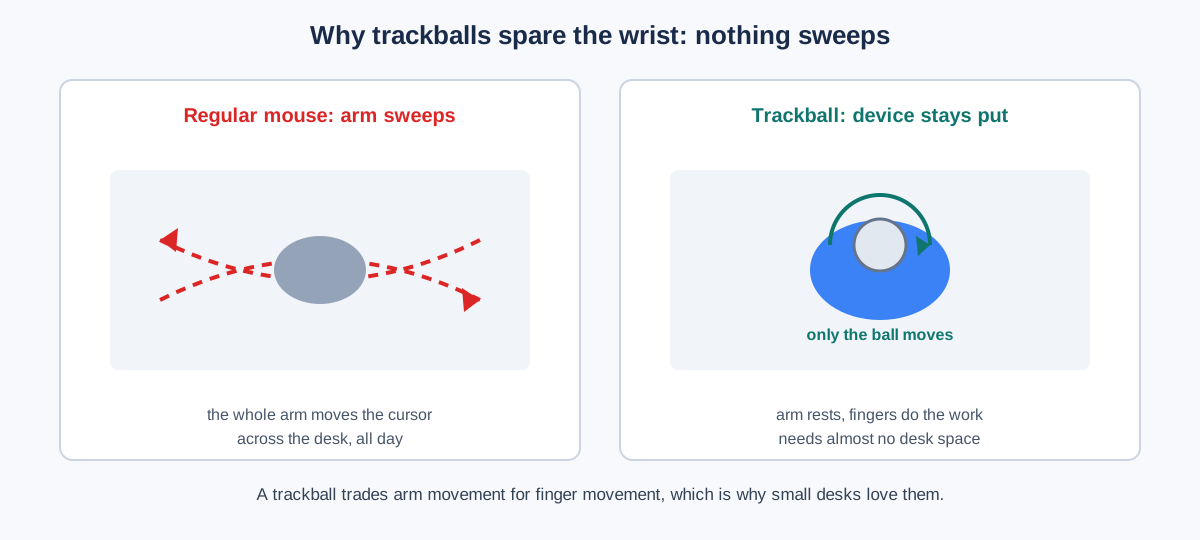
A trackball breaks the bargain. The device never moves, so the arm never sweeps; only a thumb or finger rolls the ball. The wrist stays in one neutral position instead of constantly repositioning, and the hand rests open rather than gripping. That is the entire ergonomic case, and it is why trackballs shine for small desks too — they need barely more space than their own footprint.
The honest caveat: a trackball moves strain rather than eliminating it. Heavy ball-rollers can develop thumb or finger fatigue instead of wrist fatigue. The fix is the same as with any input device — vary your posture, take breaks, and pair the trackball with a proper wrist rest for keyboard and mouse setup.
How do you clean a trackball?
A gritty ball is the number one reason trackballs feel bad — and the fix takes sixty seconds. Dust and skin oil collect on the bearing points, so monthly cleaning keeps tracking silky:
- Pop the ball out. Push it from underneath through the sensor hole, or lift it with a fingertip — every model here is designed for tool-free removal.
- Wipe the ball with a dry microfiber cloth. For stubborn grime, a slightly damp cloth, then dry completely.
- Clean the socket. Wipe the three bearing points inside the socket with a dry cotton swab — this is where the grit lives.
- Blow out the sensor with a puff of air (a rocket blower, not your breath — moisture is the enemy).
- Drop the ball back in and roll it for a few seconds to redistribute.
Do this monthly and a trackball will outlive three regular mice. Skip it for a year and you will conclude trackballs are terrible — they are not; they are just dirty.
When is the best time to buy a trackball?
Trackballs are niche enough that discounts are irregular — but the big sale weeks still deliver. The MX Ergo and Kensington Expert typically see 15–25% cuts during Black Friday, and the budget models (Orbit, EM03, M575S) often get coupon stacking that pushes them near $25.
If you’re not in a hurry, Black Friday week (Nov 27–30) is when trackball prices hit their yearly floor — our Black Friday home office deals guide tracks the discount bands to expect.
If you are buying your first trackball, though, do not over-optimize the price. The difference between the right shape and the wrong one matters far more than $10 — and most retailers’ holiday return windows make November the lowest-risk time to experiment. Pair it with one of our wireless keyboard and mouse combos if you are rebuilding the whole input setup.
Frequently asked questions
Are trackballs better than mice for wrist pain?
For most people with mouse-related wrist strain, yes — trackballs eliminate the arm-sweeping motion and gripping that cause it.
The evidence is experiential rather than clinical: decades of office workers report relief after switching, and the biomechanics are straightforward. That said, trackballs can shift strain to the thumb or fingers, so they are a trade rather than a cure — and persistent pain deserves a clinician, not just new hardware.
Thumb ball or finger ball: which should I choose?
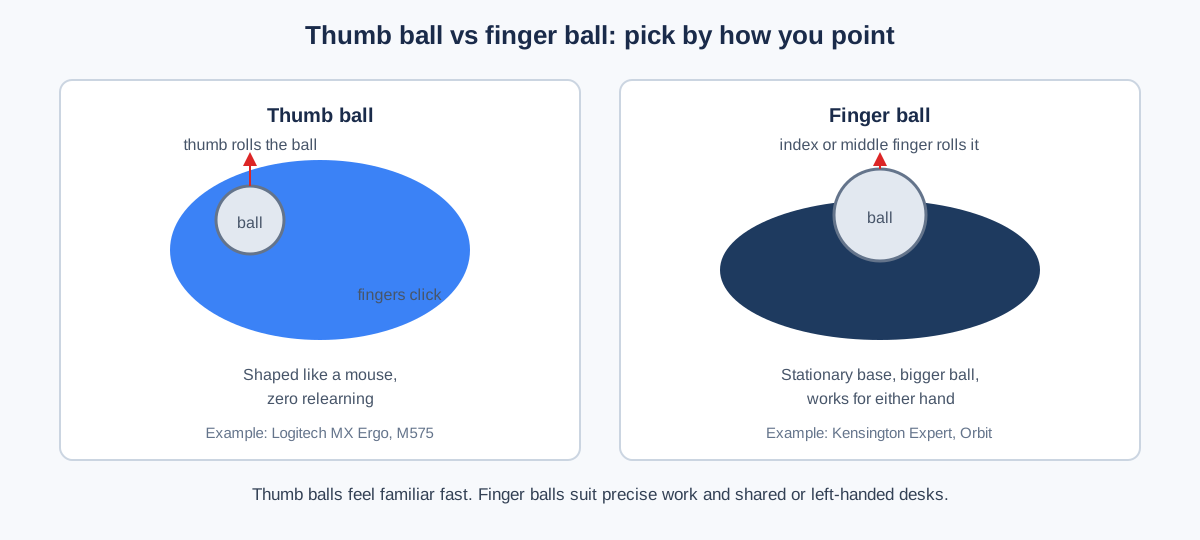
Choose a thumb ball (MX Ergo, M575S) for the easiest switch from a mouse; choose a finger ball (Kensington Expert, Orbit, EM03) for precision, ambidextrous use, or shared desks.
Thumb balls feel familiar within hours because the hand position mirrors a mouse. Finger balls take a few days to learn but offer finer control, work for left- and right-handed users alike, and keep all fingers free for clicking.
Can you game with a trackball?
Casually, yes; competitively, it depends on the game and the ball.
Thumb balls handle strategy, RPG, and casual games fine. Finger balls with large diameters (the Kensington Expert’s 55mm) have genuine esports history in precision genres. Fast-twitch FPS play remains a mouse stronghold — but for office work with occasional gaming, any pick here copes.
How long do trackball mice last?
Five to ten years is normal — trackballs have almost no moving parts to wear out beyond the ball bearings.
There are no switches under constant sliding friction and no cable drag, so the failure points of regular mice mostly do not apply. Kensington backs the Expert Mouse with a 5-year warranty, and clean the ball monthly and the bearings effectively last indefinitely.
Do trackballs work on Mac and Linux?
Yes — all five picks work as basic pointing devices on macOS, Windows, Linux, and ChromeOS with no drivers.
Advanced features (button remapping, Flow, per-app DPI) need the vendor’s software, which is usually Windows/Mac-only. On Linux, the core pointing, clicking, and scrolling all work out of the box — only the customization extras are missing.
Prices are typical US street prices as of October 2026 and change frequently — the linked listings show current pricing.