Home Office Setup Under $1,000 (2026): Where to Spend vs. Save
A thousand dollars sounds like plenty for a home office — until you start browsing. A “premium” chair alone can swallow the whole budget, and a top-tier monitor can finish it off.
The good news: $1,000 is a genuinely comfortable budget for a complete, high-quality home office setup — if you allocate it wisely. The secret isn’t finding magic discount products. It’s knowing where extra dollars actually change your daily life and where they just buy fancier packaging. Spend on the two things your body interacts with all day (the chair and the monitor), and save aggressively on everything else, where budget options have quietly become excellent.
If your budget is even tighter, start with our under-$500 setup guide — the principles are the same, with harder trade-offs.
The Golden Rule: Spend on What Touches Your Body
One principle should drive every dollar: the closer an item is to your body, the more budget priority it deserves. You sit in the chair for hours. You stare at the monitor for hours. A desk just holds things up; a lamp just makes light. Back pain from a bad chair becomes a medical bill, not a minor annoyance — so fund accordingly.
Where to SPEND: The Non-Negotiables
The Office Chair: Your Most Important Purchase
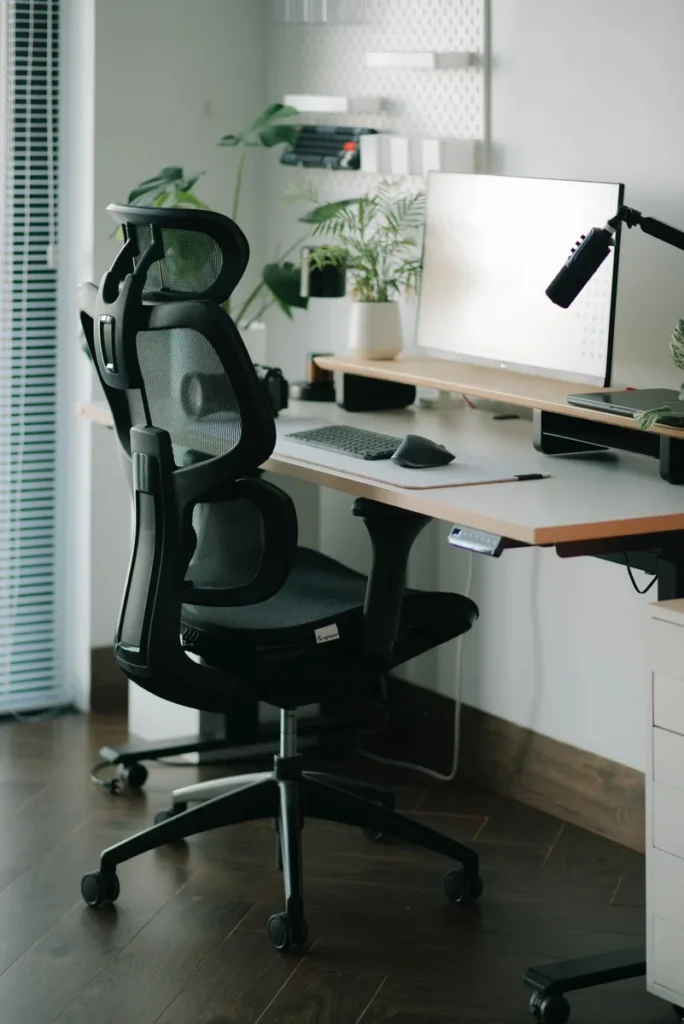
Do not cheap out on the chair. It’s the item you’ll use more than anything else — often 6 to 10 hours a day — and the one with the most direct impact on your health. A poor chair contributes to lower back pain, neck tension, and posture problems that follow you off the desk.
A solid ergonomic mesh chair with real adjustability — adjustable lumbar support, seat depth, and armrests — typically runs $250–$400. Below that range, the two features that matter most (lumbar support and seat-depth adjustment) start disappearing fast. This is the one category where stretching the budget pays for itself in comfort and avoided aches.
Skip racing-style chairs with flashy colors at low prices; they tend to prioritize looks over the adjustability that actually supports your back.
The Monitor: What You Stare at All Day
After the chair, the monitor is your biggest lever on daily quality of life. A small, dim screen forces you to hunch and squint; a good one lets you sit back and see more at once, with less scrolling and window shuffling.
The sweet spot for desk work is a 27-inch 1440p monitor, typically $200–$300 — a huge step up from a 24-inch 1080p panel for multitasking and documents, without the scaling quirks of 4K at this size. Look for an IPS panel (consistent colors, wide viewing angles) and height adjustment on the stand, so the top of the screen sits at or just below eye level.
You don’t need high refresh rates or HDR for office work — those are gaming and media features that add cost without productivity benefit. And if a second screen might be in your future, buying a monitor with VESA mount compatibility now keeps that door open.
Where to SAVE: Great Value at Low Prices
The Desk: Simple and Sturdy Wins
A desk’s job is gloriously simple: hold your equipment at the right height without wobbling. A solid flat-topped desk does this just as well at $100 as at $300. What actually matters:
- Stability. Wobble is the real enemy — check reviews for shaking complaints, not aesthetics.
- Size. 48–55 inches wide is the comfortable minimum for a monitor, keyboard, and breathing room.
- Height. Standard 29–30 inches suits most adults when paired with an adjustable chair.
A basic sturdy desk costs $80–$150. Skip built-in cable grommets, “gaming” branding, and glass tops — they add cost without function.
Keyboard and Mouse: Comfort Is Cheap
The peripheral market is fiercely competitive, which means excellent budget options. A comfortable keyboard plus a decent ergonomic mouse runs $40–$80 combined, and the gap between that and a $200 premium set is mostly feel preference, not ergonomics. Prioritize a mouse that fits your hand (try an ergonomic vertical mouse if your wrist complains) and a keyboard layout you like — quiet keys are kinder to shared living spaces. For specific picks, see our guide to the best keyboards for office work.
Desk Lamp and Lighting: Aimable Beats Expensive
You don’t need a $150 designer lamp. What you need is adjustable, flicker-free light positioned to the side of your monitor so it doesn’t bounce glare off the screen. A simple swing-arm or gooseneck LED lamp in the $25–$50 range does this perfectly. Place it on your non-dominant side, aimed at the desk surface and slightly away from the screen — that one trick delivers most of what premium lighting promises.
Headset and Audio: Decent Sound Is Affordable
If you take video calls, you need a clear microphone and comfortable ear cups — not audiophile sound. A solid headset in the $40–$80 range covers it: look for a boom or well-placed mic (your colleagues will thank you) and padding that doesn’t clamp after an hour. Unless you do professional audio work, skip dedicated speakers at this budget.
Webcam: The Cheapest Meaningful Upgrade
A standalone 1080p webcam in the $40–$70 range is one of the highest-value upgrades per dollar — you look noticeably sharper on calls, which matters for remote-work presence. And good lighting multiplies the improvement: a $50 webcam in good light outperforms a $150 webcam in a dark room.
Sample $1,000 Budget Breakdown
Here’s one realistic allocation built on the spend-vs-save logic above. Prices shift frequently — treat ranges as approximate and check current listings.
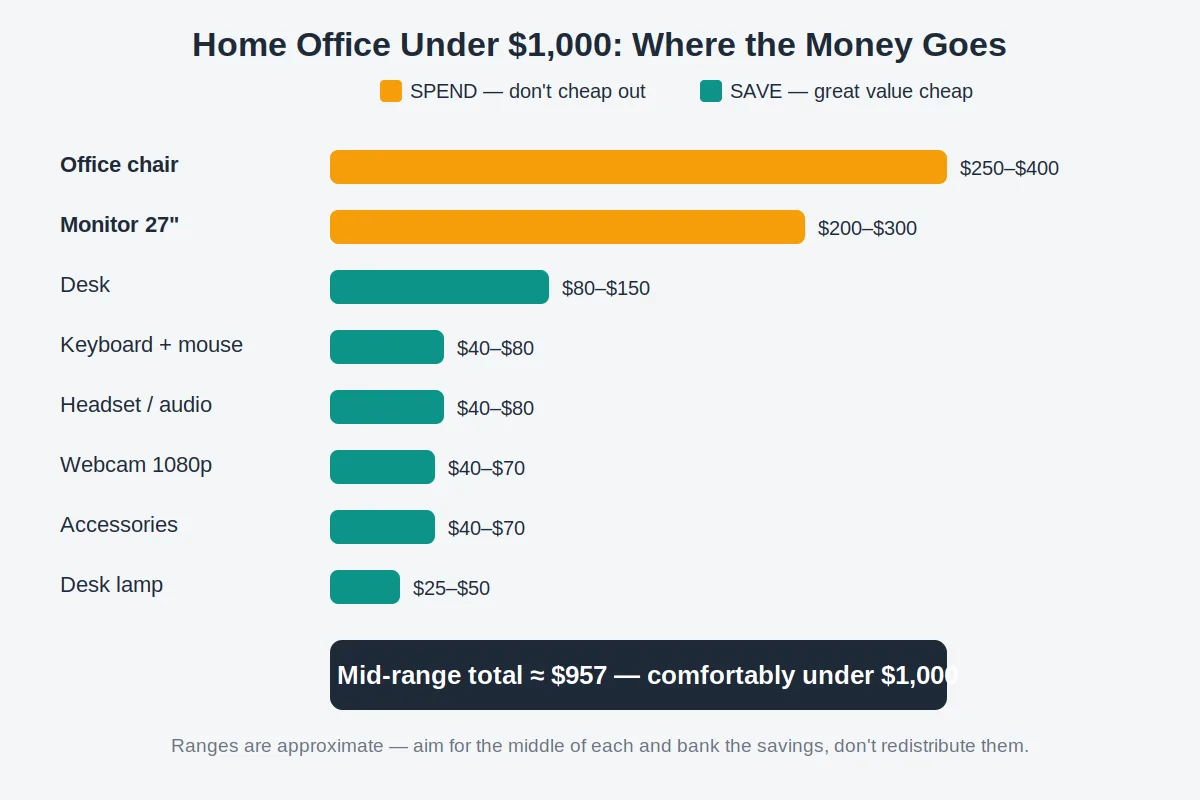
| Category | Budget range | Priority |
|---|---|---|
| Office chair | $250–$400 | Spend — the #1 priority |
| Monitor (27″ 1440p) | $200–$300 | Spend — your all-day view |
| Desk | $80–$150 | Save — sturdy and simple wins |
| Keyboard + mouse | $40–$80 | Save — comfort is cheap here |
| Desk lamp / lighting | $25–$50 | Save — aimable beats expensive |
| Headset / audio | $40–$80 | Save — clear mic, comfy fit |
| Webcam (1080p) | $40–$70 | Save — lighting matters more |
| Accessories & cable management | $40–$70 | Save — trays, ties, power strip |
| Total | ~$715–$1,200 | Aim for the middle: ~$950–$1,000 |
Aiming for the middle of each range lands around $950 — comfortably under budget with a cushion for taxes, shipping, or a chair mat. If a category comes in under its range, resist redistributing the savings into a fancier desk; bank it or put it toward the chair.
Don’t skip the accessories row: a cable management tray ($15–$25), velcro ties, and a surge-protecting power strip turn a tangle of wires into a clean setup — the cheapest visual upgrade in the whole budget. See our desk accessories guide for the full rundown.
Timing this build for Black Friday week can shave $100–$250 off the big items — see our Black Friday home office deals guide.
What to Buy First (If You Can’t Buy Everything at Once)
Building in stages? Buy in this order — each step delivers the biggest comfort or productivity jump for the money:
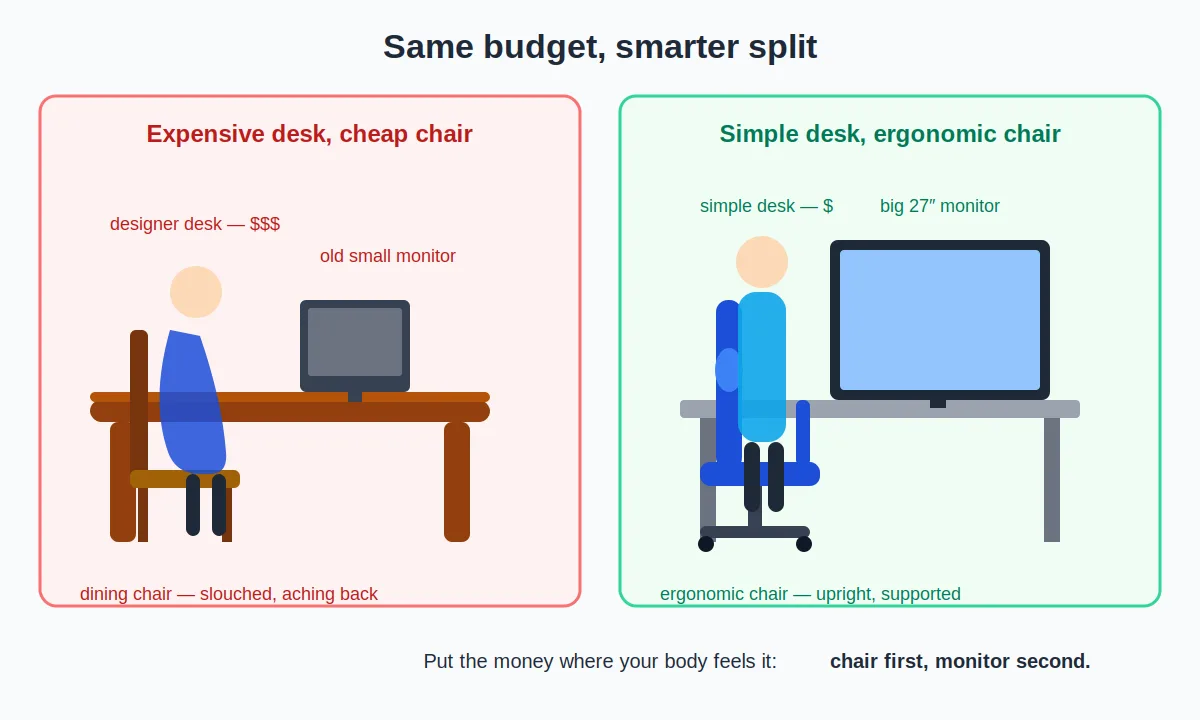
- Chair first. If you’re on a dining chair or a worn-out hand-me-down, nothing else matters as much. Back strain compounds monthly.
- Monitor second. The jump from a laptop screen or old 1080p panel to 27-inch 1440p is the biggest productivity upgrade here.
- Keyboard and mouse third. Cheap, fast, and noticeable every time you type or click.
- Lighting fourth. A $30 lamp eases eye fatigue and improves how you look on calls simultaneously.
- Webcam and headset fifth. Essential if you’re on calls daily; otherwise they can wait.
- Desk last. If your current table is stable and roughly the right height, it’s already doing its job. Upgrade when you want a standing desk or more surface — not before.
Common Budget Mistakes to Avoid
Blowing half the budget on the desk. The classic error: a beautiful $400–$500 desk with a $100 chair and a hand-me-down monitor. The desk photographs well and does nothing for your back, eyes, or output. A desk is furniture; a chair is equipment. Fund them accordingly.
Buying “gaming” gear for office work. Gaming-branded chairs, keyboards, and headsets charge a premium for aesthetics and features (RGB lighting, ultra-high refresh rates) that add nothing to documents and Zoom calls. Every dollar spent on gaming features is a dollar not spent on ergonomics.
Upgrading the wrong thing first. A second monitor before a decent chair, or a premium keyboard while squinting at a dim 22-inch screen. Always ask: “which purchase removes the most daily discomfort?” That’s your next buy.
Ignoring the used and refurbished market. Chairs and monitors depreciate fast — a used ergonomic chair from a reputable office brand or a refurbished monitor with a warranty can deliver $500-tier quality at $250-tier prices. Inspect chairs in person when possible, and buy refurbished electronics only with a return policy.
Forgetting hidden costs. Taxes, shipping, a surge-protecting power strip, a chair mat — these add $50–$100 people forget to budget. Leave a 10% cushion so a surprise shipping fee doesn’t force you to downgrade the chair.
Your Upgrade Path: What to Improve Later
A $1,000 setup is a strong foundation, not the finish line. When more budget frees up, upgrade in this order:
- Chair → premium ergonomic chair. If you started at the $250 end of the range, stepping up to a fully adjustable premium chair ($500+) is the highest-impact upgrade you’ll ever make.
- Second monitor or a monitor arm. A dual setup transforms multitasking; a monitor arm frees desk space and gives perfect positioning.
- Standing desk (or converter). Alternating sitting and standing is the next big comfort leap after the chair. Budget electric standing desks have become genuinely affordable.
- Better audio. A dedicated USB microphone or quality speakers, once the call basics are covered.
- Finishing touches. A monitor light bar, bias lighting, plants, acoustic panels — the details that make the space feel like yours.
Frequently Asked Questions
Is $1,000 enough for a good home office setup?
Yes — comfortably. Roughly half the budget goes to the chair and monitor, the two items that affect health and productivity most, and every remaining category has excellent budget options. What $1,000 doesn’t cover is premium everything at once — that’s what the upgrade path is for.
Should I spend more on the chair or the monitor?
The chair, slightly. Both matter enormously, but a bad chair causes physical harm over time while a mediocre monitor mostly causes inconvenience. If you must tilt the budget, put the extra $50–$100 into the chair — specifically adjustable lumbar support and seat-depth adjustment.
Can I build this setup for less than $1,000?
Absolutely. Buying at the low end of each range — plus shopping refurbished for the chair and monitor — can bring the total to $700–$800. Our under-$500 guide covers the leanest version of this same strategy.
Is a standing desk worth it at this budget?
A full electric standing desk typically consumes $300–$500, forcing real compromises on the chair — a bad trade. Better plan: build the seated setup now, and make the standing desk your first major upgrade later. A desktop converter is a middle-ground option if you want to try alternating sooner.
Does the $1,000 include the computer?
This guide assumes you already have a computer — the $1,000 covers the workspace around it. If you need to include one, prioritize a refurbished business laptop and drop to the tightest version of everything else.
Conclusion
A home office setup under $1,000 isn’t about finding secret deals — it’s about spending with intent. Put the money where your body is: a genuinely ergonomic chair and a quality monitor will shape every workday for years. Save where the budget market has already solved the problem: desks, keyboards, mice, lamps, headsets, and webcams all have excellent affordable options. Buy in priority order, leave a 10% cushion for hidden costs, and resist the siren call of the $500 desk.