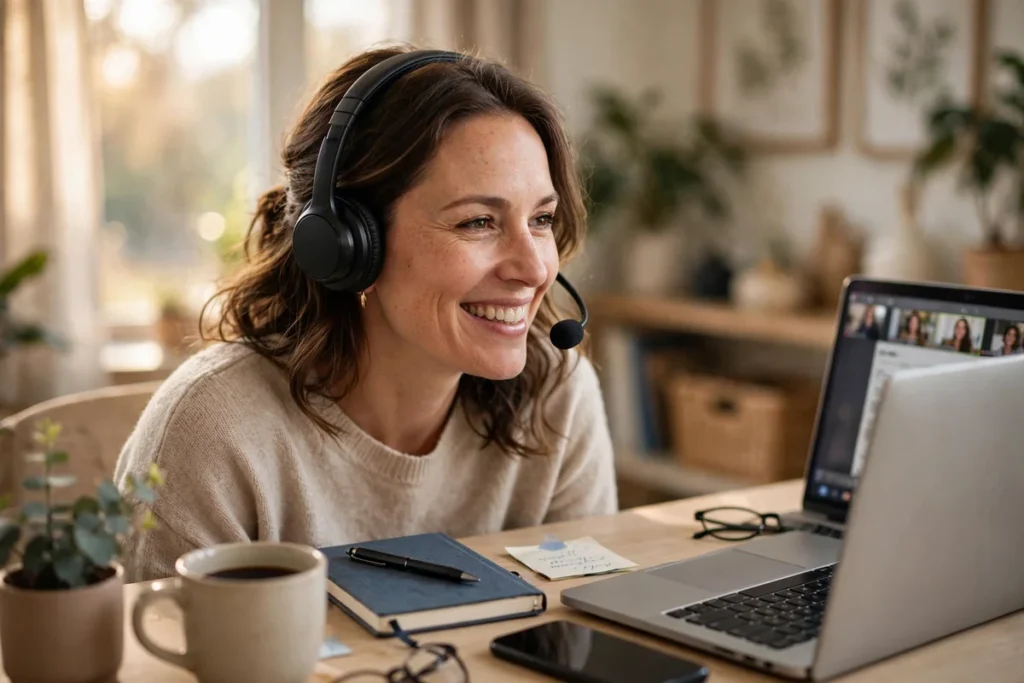
The best headset for working from home in 2026 is the Jabra Evolve2 65 (~$240): its 3-mic boom isolates your voice from household noise, the 37-hour battery outlasts any workweek, and the busylight tells housemates you’re on a call. The budget pick is the Logitech Zone Vibe 100 (~$80).
As an Amazon Associate I earn from qualifying purchases.
Best Headsets for Working From Home (2026)
TL;DR — The 5 best headsets for working from home:
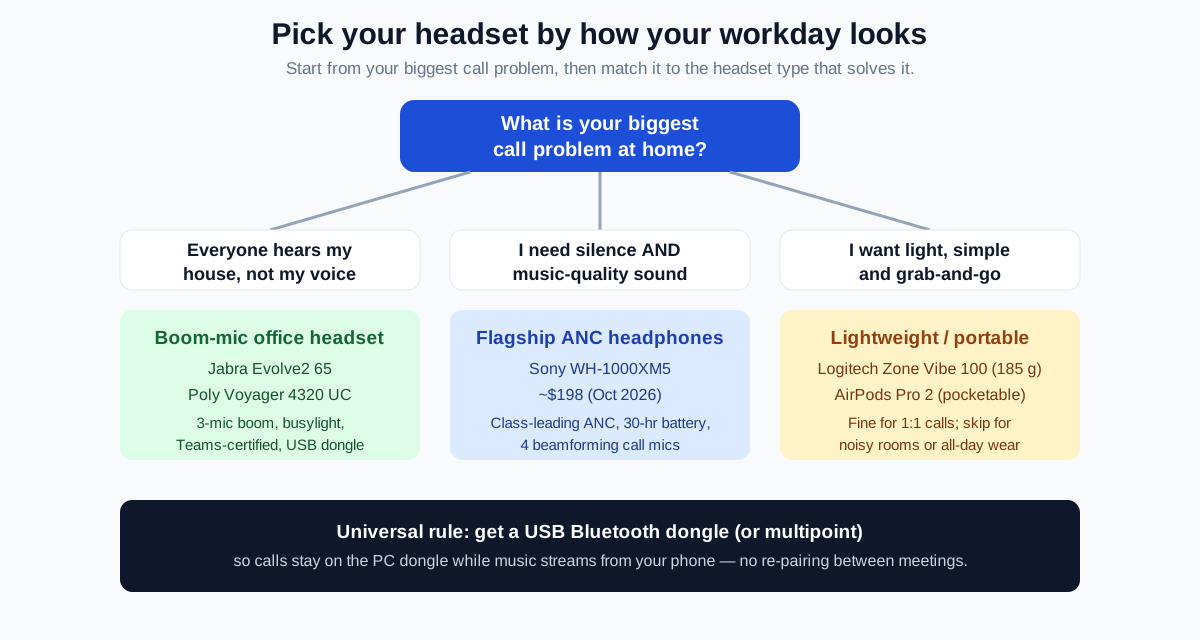
- Best overall: Jabra Evolve2 65 (MS Teams, Stereo, Link380) (~$240) — 3-mic boom, 37-hour battery, busylight, USB dongle included.
- Best for all-day calling: Poly Voyager 4320 UC (Stereo, Teams, charge stand) (~$190) — 24-hour talk time, 50-meter roam range, Acoustic Fence mic.
- Best noise cancellation: Sony WH-1000XM5 (~$198) — class-leading ANC, 30-hour battery, 4 beamforming call mics.
- Best budget: Logitech Zone Vibe 100 (~$80) — just 185 g, flip-to-mute mic, multipoint Bluetooth 5.2.
- Best earbuds: Apple AirPods Pro 2 (USB-C) (~$189) — 2x ANC, pocketable, ideal for Apple users and travel.
The quotable rule: a work-from-home headset is bought for its microphone, not its speakers — your colleagues hear your mic, they never hear your drivers.
| Model | Mic system | Battery | Connectivity | Weight | ANC for ears | Price (Oct 2026) |
|---|---|---|---|---|---|---|
| Jabra Evolve2 65 | 3-mic boom arm | 37 h | BT 5.0 + Link380 USB dongle | 176 g | Passive (on-ear seal) | ~$240 |
| Poly Voyager 4320 UC | Dual mic boom, Acoustic Fence | 24 h talk | BT 5.2 + BT700 USB-C dongle | ~159 g | Yes (audio ANC) | ~$190 |
| Sony WH-1000XM5 | 4 beamforming mics (no boom) | 30 h (ANC on) | BT 5.2 multipoint, 3.5 mm | 250 g | Best in class | ~$198 |
| Logitech Zone Vibe 100 | Noise-canceling flip-to-mute mic | 20 h (18 h talk) | BT 5.2 multipoint | 185 g | No (passive only) | ~$80 |
| AirPods Pro 2 (USB-C) | 3 mics per bud, beamforming | 6 h + 30 h case | BT 5.3, Apple auto-switch | 5.3 g per bud | Strong (2x Gen 1) | ~$189 |
What actually matters in a work-from-home headset?
Home noise is the enemy, not office chatter. Before comparing models, rank these five criteria for your own day:
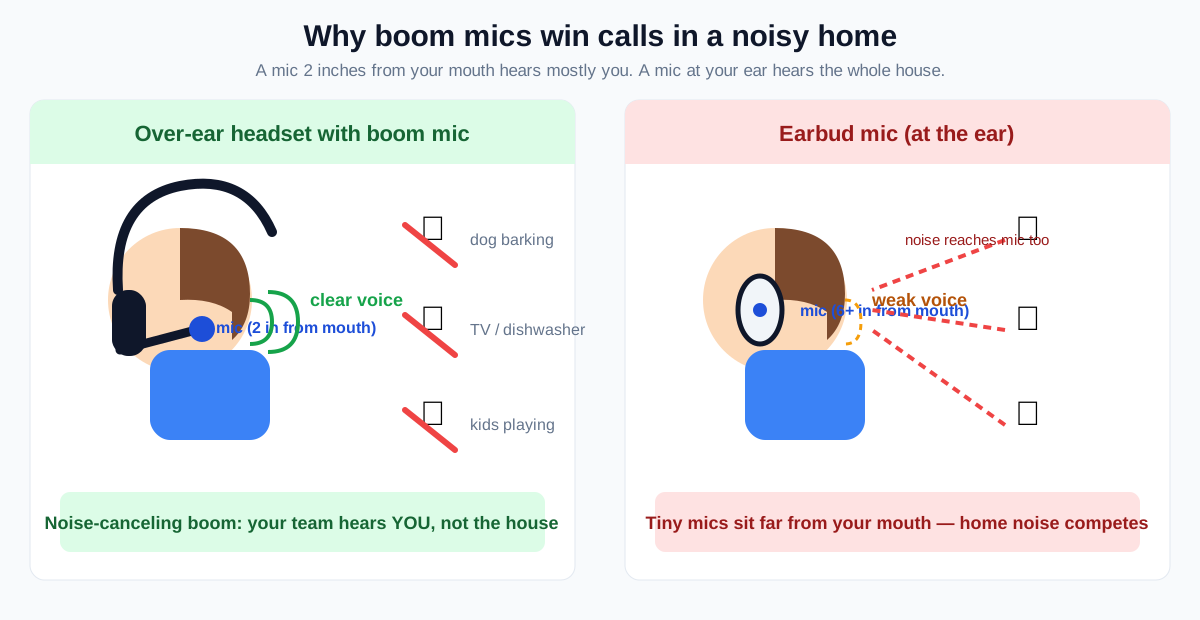
- Mic clarity in real home noise. Dogs, kids, doorbells, dishwashers. A boom mic 2 inches from your mouth always beats an earbud mic 6 inches away — physics, not marketing.
- All-day comfort. Anything over ~200 g gets noticeable by hour six. On-ear headsets breathe better than over-ears in warm rooms.
- Noise cancellation for your ears. ANC matters when the house is loud and you need to hear the meeting. It is separate from mic noise cancellation — don’t confuse the two.
- Battery life that survives the day. 15+ hours of real talk time, or you’ll be charging at lunch.
- Connection stability. A dedicated USB Bluetooth dongle (Link380, BT700) is far more reliable than pairing straight to a laptop’s Bluetooth chip — fewer drops, better call handoff.
Which headset has the best microphone for home calls?
The Jabra Evolve2 65. Jabra built it around three strategically placed microphones on a flexible boom arm plus a dedicated digital chipset for voice processing, and it meets Microsoft Teams open-office requirements — meaning it’s certified to keep your voice intelligible while office-level noise surrounds it.
The boom arm doubles as the mute switch: flip it up to mute, down to unmute or answer. The 360° busylight on both earcups glows red automatically on calls — the single most useful feature for a house with other people in it, because it answers “are you on a call?” without anyone asking.
At 176 g it’s light for an office headset, and the 37-hour battery is the longest here by a wide margin — charge it every few days, not every night. The included Link380 USB dongle (USB-A and USB-C versions exist; the MS Teams variant ships with the USB-C dongle) gives you a rock-solid PC connection while Bluetooth multipoint keeps your phone paired for mobile calls.
The trade-off: it’s on-ear, so long sessions press on your ears, and music sounds merely good. At ~$240 (list $329) it’s the priciest pick — but the only one purpose-built for sounding professional from a noisy house.
Do I need a boom mic, or are premium headphones enough?
If your house is genuinely loud, get a boom-mic headset. If it’s reasonably quiet and you also want great music, premium ANC headphones are the better all-rounder.
That’s where the Sony WH-1000XM5 shines. It pairs two processors and eight microphones for the best active noise cancellation you can buy at this price, and four beamforming mics with AI-based Precise Voice Pickup handle calls surprisingly well. With the XM6 now Sony’s flagship, the XM5 has dropped to ~$198 on Amazon (list $399.99) — half price for last year’s reference ANC headphone.
The 30-hour battery (ANC on), 3-minute quick charge, multipoint pairing, and LDAC hi-res audio make it the best-sounding pick here. At 250 g it’s fine for a few hours, heavy for a full day of calls.
The caveat: in a loud room, the XM5’s mic lets some of your house through — “excellent for headphones, not as good as a boom mic.” If calls are your entire job, the Jabra or Poly wins. If your day is mostly focused work with music, the XM5 at $198 is the value king of 2026.
What is the best headset for someone on calls all day?
The Poly Voyager 4320 UC — the stereo, Teams-certified version with the desktop charge stand. Poly (now part of HP) designed the 4300 series specifically for professionals who live on calls, at home or in the office.
Two specs make it a call-marathon specialist. First, the dual noise-canceling mics on a flexible boom use Poly’s Acoustic Fence technology to cut background noise from your caller’s side. Second, the 50-meter wireless range (164 feet) — the longest here — lets you walk to the kitchen mid-call without dropping. The 24-hour talk-time battery plus the included charge stand means it lives on the stand and is always ready.
It’s an on-ear design at just ~159 g (5.6 oz) with memory-foam cushions. The BT700 USB-C adapter (USB-C to USB-A adapter included) handles the PC connection while Bluetooth 5.2 pairs your phone, and a wired USB mode covers you if the battery ever dies mid-day.
At ~$190 (list $265) it sits between the budget Zone Vibe 100 and the Jabra. If your calendar is a wall of Zoom tiles, the Voyager 4320 disappears on your head and never dies mid-sentence.
Is there a good budget headset for working from home?
Yes — the Logitech Zone Vibe 100 at ~$80 is the budget sweet spot. At 185 g it’s the lightest full-size pick here, with soft memory-foam cushions and a knitted fabric finish that stays comfortable for long sessions.
The noise-canceling mic flips up to mute — simple, physical, impossible to get wrong — and works with Teams, Zoom, and Google Meet. Multipoint Bluetooth 5.2 connects two devices at once with a 30-meter range, and you get 20 hours of listening (18 hours of talk) from a 1.5-hour charge; a 5-minute top-up buys an hour of playback. The Logi Tune app lets you adjust sidetone, mic level, and EQ from your desktop or phone.
What you give up versus the $200+ picks: no USB dongle (straight Bluetooth only), no ANC, and a good-rather-than-great mic in loud rooms. But for quiet-to-moderate homes, it delivers roughly 80% of the experience at 40% of the price.
Are AirPods good enough for work-from-home calls?
For Apple users with a quiet home, the AirPods Pro 2 (USB-C) are genuinely good enough — and at ~$189 on Amazon (list $249) they’re cheaper than the flagship headsets. The H2 chip drives 2x the active noise cancellation of the original Pro, Conversation Awareness drops your volume when someone talks to you, and the four ear-tip sizes (XS–L) make long wear feasible.
Call quality is the best of any mainstream earbuds: three mics per bud with beamforming and voice-targeting algorithms. For 1:1 calls and small meetings in a quiet room, nobody will know you’re on earbuds. They’re also the only pick here you can pocket — ideal if your “home office” sometimes becomes a coffee shop.
The limits are physical: six hours per charge means a long day needs the case (30 hours total with it), and in a noisy house, earbud mics can’t compete with a boom. Outside the Apple ecosystem you also lose the seamless device switching.
Buy them as your everyday earbuds that also handle WFH calls, not as a dedicated call headset. If your household is loud, pair them with one of the boom-mic picks above.
How do I set up a headset for the best call quality?
- Use the USB dongle, not laptop Bluetooth. The Jabra Link380 and Poly BT700 dongles exist because laptop Bluetooth stacks drop and stutter on calls. Plug the dongle in, set it as the default audio device in Zoom/Teams, and leave it.
- Position the boom mic two finger-widths from your mouth. Too far and your voice thins out; touching your lips and every breath becomes a windstorm.
- Turn on sidetone. Hearing a little of your own voice (adjustable in Logi Tune, Jabra Sound+, or Poly Lens) stops you from shouting — the classic “headset voice” problem.
- Mute aggressively. Keyboard shortcuts (or the boom flip / busylight button) beat fumbling for the on-screen mute when the doorbell rings.
- Update firmware. Jabra, Poly, Logitech, and Sony all ship mic-noise-reduction improvements through their apps.
A good desk lamp for video calls matters just as much as audio — callers judge what they see before they judge what they hear — and if you’re building the full setup, our dual-monitor WFH guide and WFH desk setup productivity guide cover the rest of the desk.
Frequently asked questions
Is a gaming headset good for working from home?
It can work in a pinch, but office headsets are better. Gaming headsets prioritize immersive sound over mic noise cancellation, and their boom mics pick up keyboard clatter. A Teams-certified headset like the Jabra Evolve2 65 is tuned for the opposite trade-off: voice clarity first.
Do I need noise cancellation for home office calls?
You need mic noise cancellation, not necessarily ANC. Mic noise cancellation (boom mics, Acoustic Fence, beamforming) keeps your house out of the call; ANC keeps the house out of your ears. If your home is loud on both sides, get a headset with both.
Can I use one headset for my laptop and phone?
Yes — every pick here supports it. Multipoint Bluetooth (Zone Vibe 100, Sony XM5) or a USB dongle plus Bluetooth pairing (Jabra, Poly) lets calls come through on one device while the other stays connected. The AirPods Pro 2 auto-switch between Apple devices.
How long should a work-from-home headset battery last?
At least 15 hours of real talk time to survive a full day without a midday charge. The Jabra Evolve2 65’s 37 hours is the benchmark; the Sony XM5’s 30 hours and the Poly Voyager 4320’s 24 hours of talk time both clear the bar comfortably.
Over-ear or on-ear for all-day wear?
Over-ear (Sony XM5) seals better and sounds better but runs warmer and heavier. On-ear (Jabra Evolve2 65, Poly Voyager 4320, Zone Vibe 100) is lighter and cooler, with slight pressure on the ears. For 8-hour days, most people prefer the lighter on-ear office headsets.